Cozy desktop puzzle · Official player guide
Mosslight Grove
Plant little things. Make room for wonder. Choose between two plants and grow a small garden through connected merges, without a timer.
A small puzzle, two ways to play
The free browser demo contains the first four gardens: First Light, Fern Steps, Quiet Pool and Honey Path. The Windows edition has a minimum price of US$2.99 on itch.io and includes all twelve gardens plus Free Garden with reproducible seed codes and three landscapes. The first three gardens are short tutorials; later gardens take more planning. This is a compact strategy game, with no farming economy or time-based progression.
Use a desktop browser with WebGL 2 for the demo. The Windows ZIP contains the game, instructions and license notices. The game itself has no ads, accounts, analytics, paid upgrades or online AI service. The hosting and store have their own data practices. Advertising on this website is separate from the game.
First Light: make two merges with one placement
- Choose First Light from the garden selection screen. Look at the two Sprouts on either side of the board's center square.
- Select a Sprout from the left panel. Place it in the middle of the board: row three, column three.
- The three connected Sprouts become a Fern on the square you just chose. The neighboring Ferns above and below now form another group of three.
- That group becomes a Bloom. You have reached First Light's goal in one move.
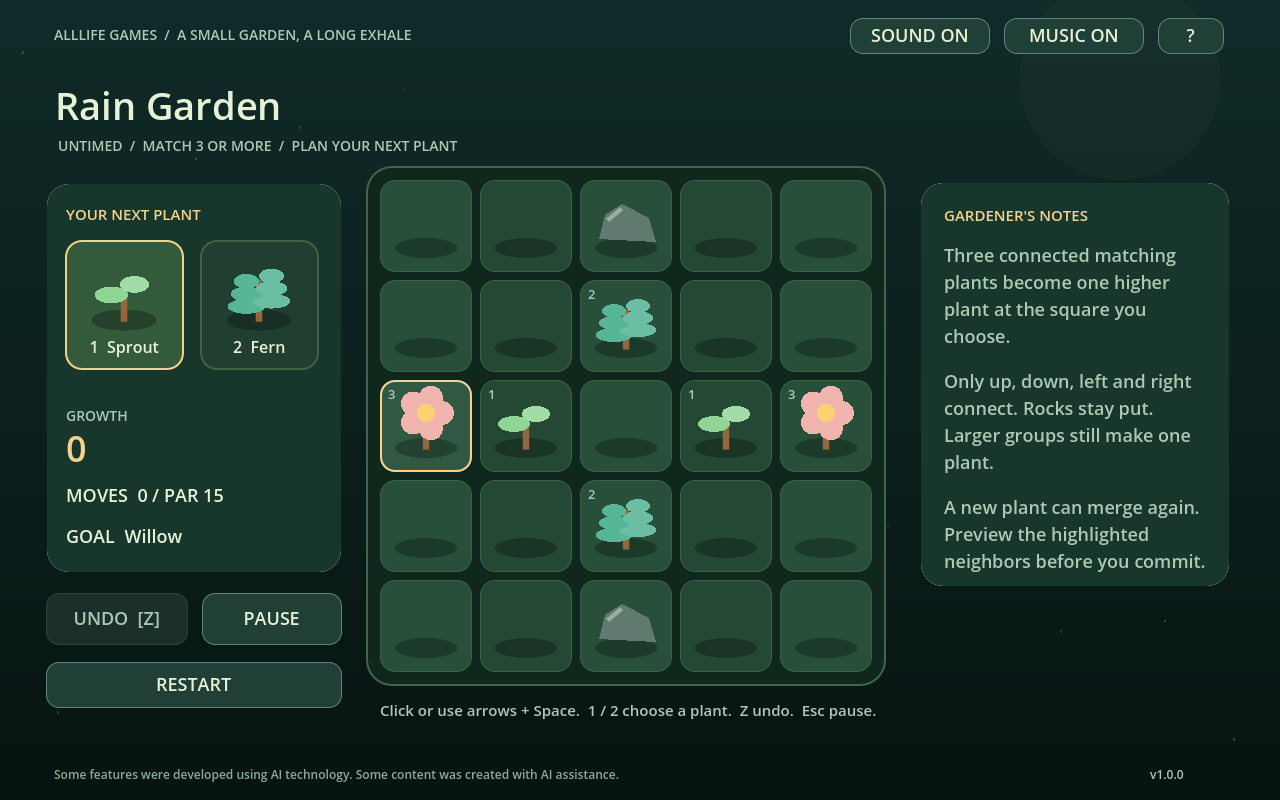
The important rule is the destination: a merge finishes on your newly planted square. Planning that square can turn a simple match into a chain. Only up, down, left and right count as connections. Diagonal neighbors do not join the group, and rocks never move.
A connected group of three or more matching plants produces one plant of the next tier. A larger group does not create several higher-tier plants. The progression is Sprout, Fern, Bloom, Willow, Sanctuary, Moonwood and Evergreen.
Plan the next empty square
Compare both plant offers
You can choose either offer before placing. A Fern may complete a useful group while a Sprout may preserve the center for a future chain. The selected card is outlined; confirm it before planting. Hover or move the keyboard cursor to preview connected neighbors and chain potential.
Protect useful connections
Filling every convenient gap can leave higher-tier plants isolated. Before a merge, check whether its destination can touch two plants of the resulting tier. Leave a route around rocks instead of treating every empty square as equally valuable. A place that scores immediately may be less useful than a place that opens the next merge.
Use undo to compare a decision
Press Z or choose Undo to return to the previous move, including the previous plant offers. It does not reroll a new seed sequence. The game retains up to 200 recent moves and saves that history locally. If the board fills, undo and try a different destination, or restart the garden.
Twelve authored gardens
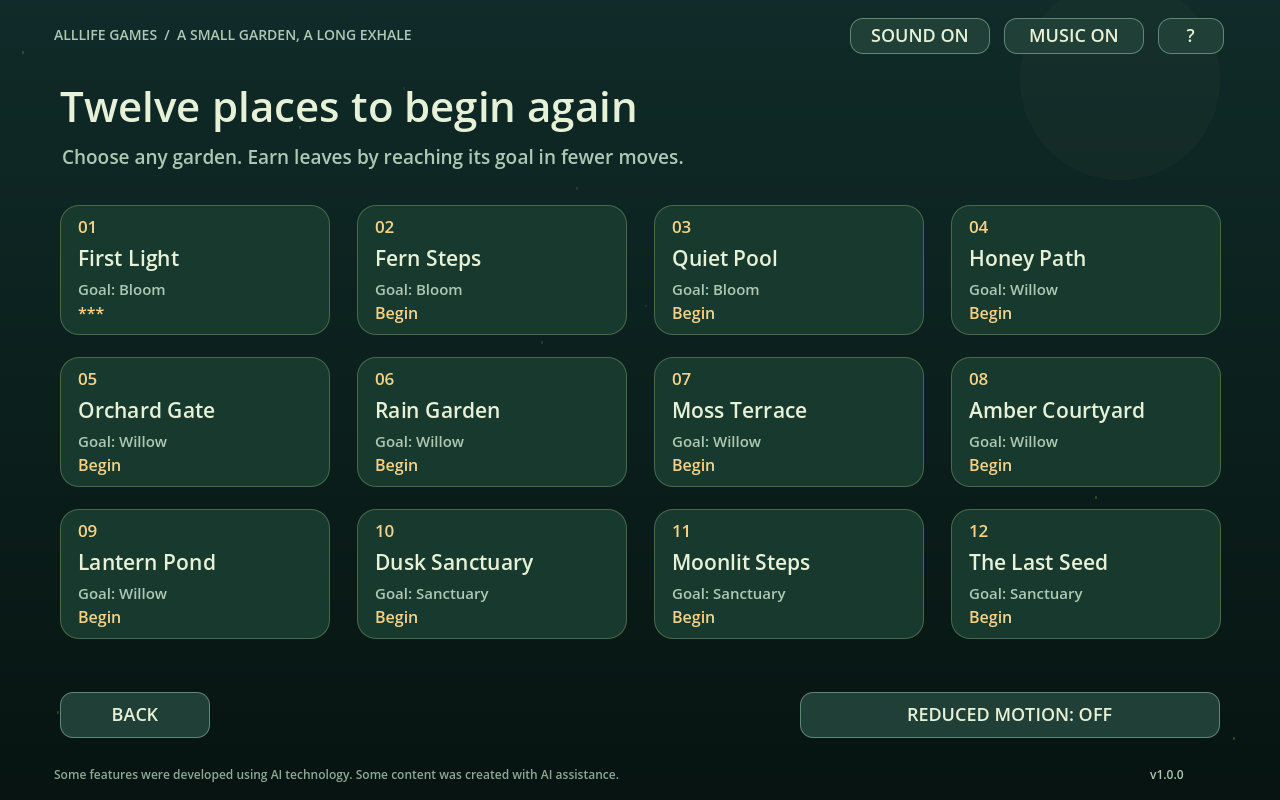
Every garden is available from the selection screen in the Windows edition. The demo exposes only its first four. The first three aim for a Bloom, gardens four through nine aim for a Willow, and the last three aim for a Sanctuary. Free Garden lets you choose a seed and rock count, then grow for a higher score without a campaign completion screen.
PAR is a move target, not a countdown. All twelve gardens have been solved at or below their displayed PAR during release testing. You can finish above PAR and still complete the garden. Finishing within PAR awards the highest three-leaf rating; within twice PAR awards two, and a later completion awards one.
Free Garden: a fresh setup or a fair rematch
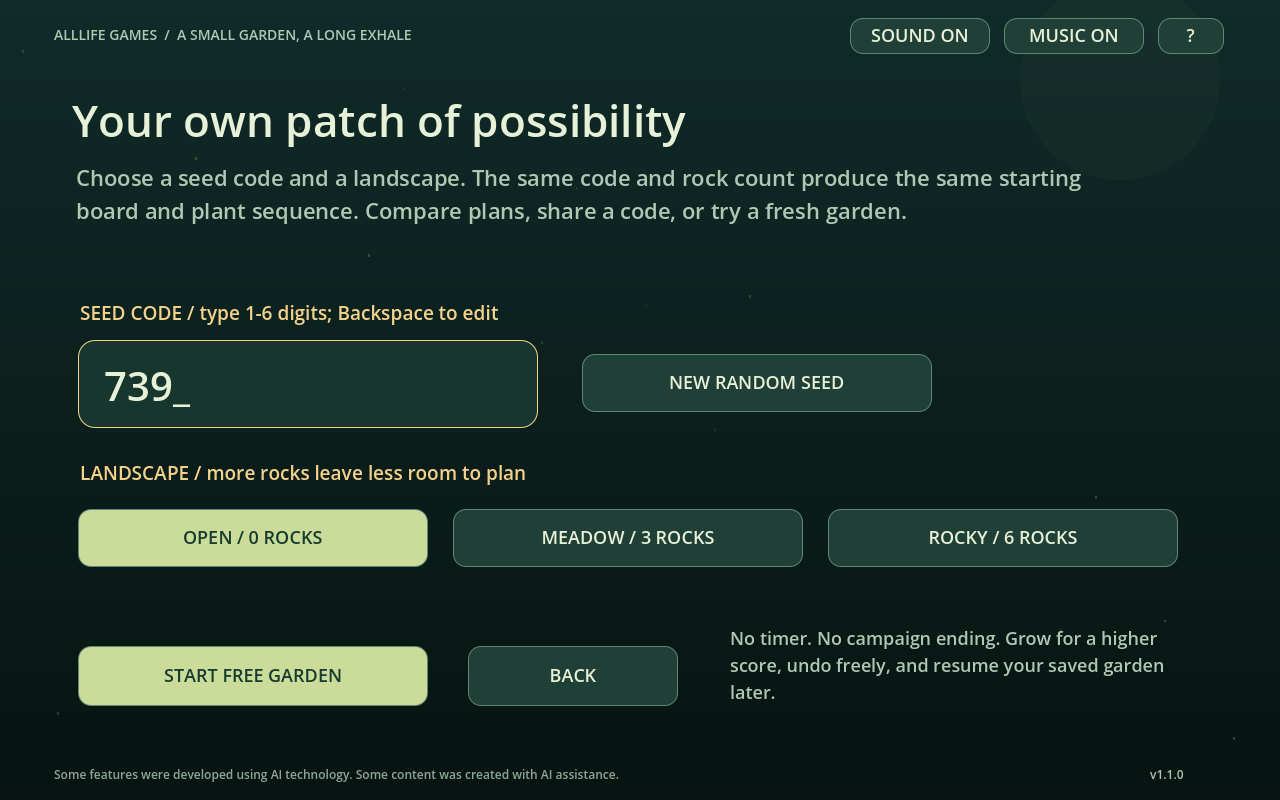
Version 1.1.0 adds replayable setups to the Windows edition. From Free Garden, type a seed code from 1 to 999999 or select New Random Seed. Choose Open (no rocks), Meadow (three rocks) or Rocky (six rocks). A matching code and rock count reproduce the same initial board and plant sequence, so you can compare strategies under the same conditions.
Try code 4271 with six rocks. Before filling a space, look for two matching plants that can connect through your chosen destination. Undo to compare an alternative; Restart repeats the same seed and landscape. Try Open with the same code to explore a board with more available spaces. The board does not have a campaign ending: your aim is a higher score or plant tier.
The game saves the current setup with your progress. This is local play: sharing a code is optional, there is no online leaderboard, and the game does not send your score to a server. Older saves remain readable.
Actual Windows gameplay, without audio. The first placement merges three Sprouts into a Fern, then into a Bloom. The clip also shows seed setup and a rocky Free Garden.
Controls and comfort
- Mouse: select a plant card, then click an empty square.
- 1 and 2: select an offer. Arrow keys: move on the board. Space: plant.
- Z: undo. Esc: pause. H: open the guide. M: toggle music.
- Tab or arrow keys and Enter: navigate menus.
Sound and music have separate toggles. Reduced motion is available in the menu. Plants have distinct shapes and tier numbers as well as colors. There is no timer, daily streak requirement or loss of paid lives. The browser demo is intended for desktop play; mobile compatibility is not claimed.
Local saves and troubleshooting
Version 1.1.1 fixes duplicated undo history when reloading, preserves the previous garden backup when starting a new seeded board, and clears stale Continue state after an empty or unreadable save. Existing saves remain compatible. The current seed and rock count are shown together during play.
What does “Saving is unavailable” mean?
The current browser storage or Windows save folder could not be written. The notice stays visible during play so you can tell that progress is not being stored. In a browser, use a normal profile that allows site storage; avoid clearing existing data while troubleshooting. On Windows, check that your user account can write to the game's save folder. A successful retry clears the saving warning. If only the recovery backup cannot be updated, the game tells you separately that the current garden was saved.
Why is my browser progress different from Windows?
Each edition stores progress locally. There is no account or cloud synchronization. Changing browser profiles, using private browsing or clearing site storage can remove access to the previous browser save. The Windows save is stored under the user's Godot app_userdata/Mosslight Grove directory.
What if a save cannot be read?
The game validates its saved state and attempts to recover the previous local backup when the main save is damaged. This cannot restore deleted browser storage or a removed Windows save folder. Keep a copy of your Windows save folder before reinstalling or changing devices.
How do I start the Windows edition?
Download the official ZIP, extract its contents and run MosslightGrove-1.0.0.exe. Use Windows 10 or 11 x64 with an OpenGL 3.3-capable graphics driver. The executable is unsigned. The included README explains controls, saves and support. Do not run the game from inside the ZIP.
How do I report a problem?
Use Support and include version 1.0.0, the browser or Windows edition, garden name, last action and any visible error. For save issues, say whether storage was cleared or the profile changed. Do not include passwords or payment details.
How this guide was checked
The rules and PAR descriptions were checked against the version 1.0.0 game model and twelve solved campaign routes. Release tests covered chain merges, invalid placements, previews, undo, local-save recovery and the demo boundary. Actual Windows and browser builds were played and captured. Strategy suggestions above explain choices rather than promise that every board position is recoverable.